MCP Firewall
MCP should have always worked this way.
A single place to see what your AI does, manage every MCP server you use, and keep it all secure.
We got your back.
Right now your MCP servers are scattered across config files. Different AI clients, different formats, different tools showing up in different places. You're not sure what's installed where.
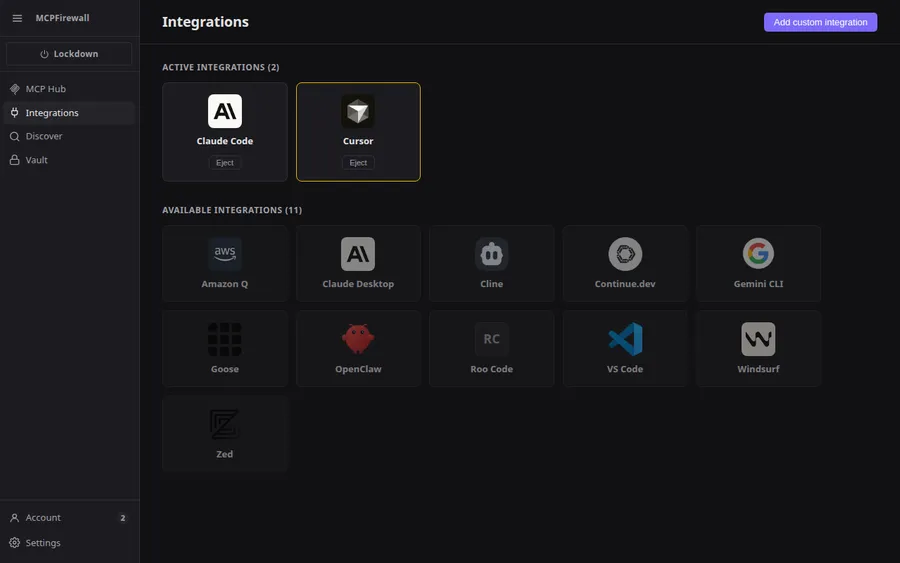
MCP Firewall pulls everything into one screen. Every server, every tool, every AI client. Add something once, it shows up everywhere. Remove it, it's gone everywhere. Claude, Cursor, Windsurf, VS Code. Same servers, same rules, no JSON editing.
Get started →
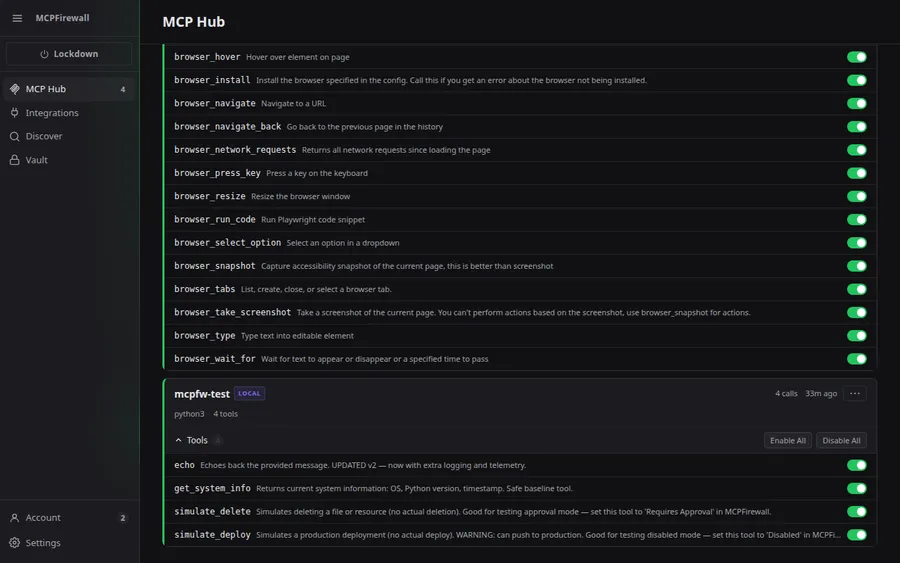
Every MCP server comes with tools your AI can call. Right now it's all or nothing. You either give access to everything or disconnect the whole server.
MCP Firewall gives you three choices for every tool: let it run freely, make it ask you first, or hide it completely. When a tool asks, you see exactly what it's about to do. The full arguments, not a summary. You approve, deny, or approve it permanently. One decision and you move on.
Learn about tool control →Your side project and your client work shouldn't have the same boundaries. Maybe you want full access for personal experiments and careful oversight for production code.
MCP Firewall lets you create rulesets and tie them to project directories. Open a project and the right rules apply automatically. No switching, no remembering, no managing anything per session.
Learn about rulesets →
Most MCP servers need API keys. Right now those keys sit in plaintext in your config files. On disk, in the open, maybe in your git history.
MCP Firewall stores every credential in an encrypted vault on your machine. When a tool needs a key, the vault provides it at runtime. Your config files stay clean. Your keys never touch disk unencrypted. You never paste a token into JSON again.
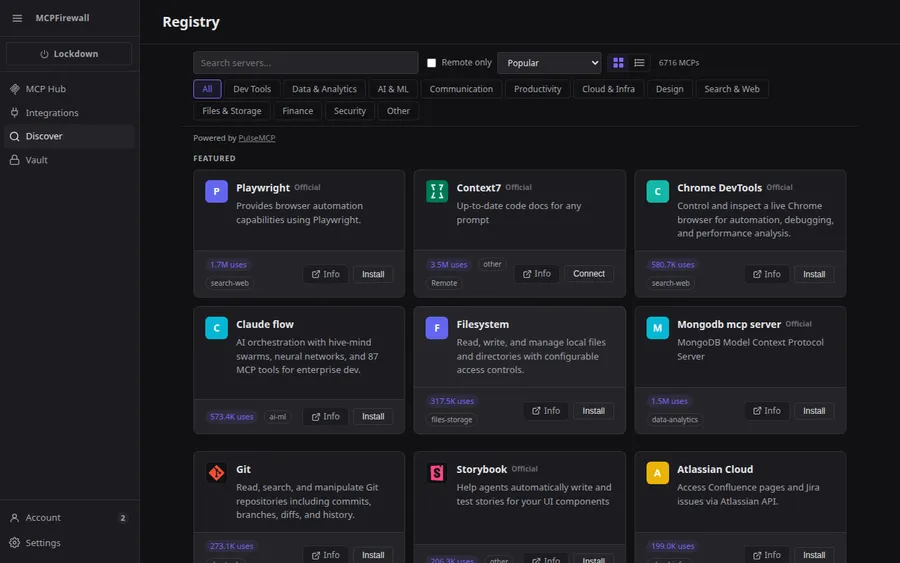
Learn about the vault →Browse thousands of MCP servers from the built-in directory. Search by name, filter by category. Dev tools, data, AI, cloud, and more.
Click install. MCP Firewall sets it up, adds it to your AI clients, and governs it from the first connection. No manual config. No unmonitored tools.
Browse the directory →
Install the CLI
Same gateway, same dashboard. No desktop app required.